

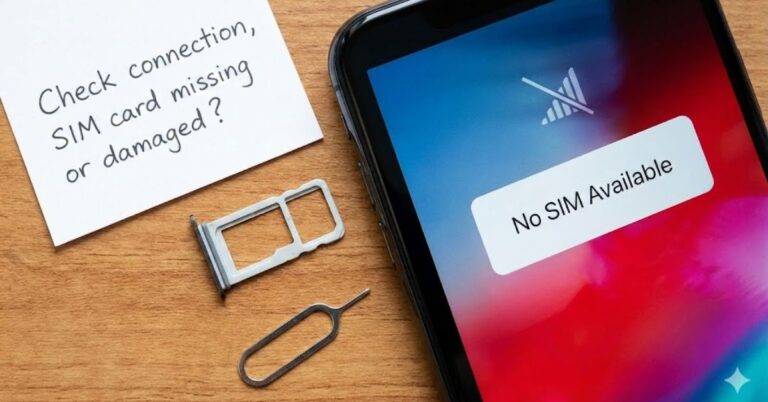
Imagine this: You pick up your phone to make an urgent call or check a map, and instead of bars of service, you see a frustrating message glaring back at you “No SIM Available.” Instantly, you’re cut off. No data, no texts, no calls.
If you are staring at this error right now, don’t panic. It is one of the most common connectivity issues for both iPhone and Android users, and it is usually fixable without a trip to the repair shop.
In this guide, we will break down exactly what does no sim available mean, why it happens, and walk you through proven steps to get your connection back up and running.
Table of Contents
What Does “No SIM Available” Actually Mean?
At its core, the “No SIM Available” error means your smartphone cannot detect or communicate with the Subscriber Identity Module (SIM) card.
Your SIM card is the passport that tells cellular networks who you are and that you have a valid plan. When your phone displays this error, it’s effectively saying, “I can’t find your ID card, so I can’t let you onto the network.”
This is distinct from “No Service,” which means your SIM is read but cannot find a tower. “No SIM Available” is a hardware or software communication breakdown between your device and the card itself.
Is it a Hardware or Software Issue?
It can be either. The error typically stems from one of three buckets:
- Physical Displacement: The SIM card has wiggled loose or the tray is damaged.
- Software Glitches: A recent update or cached data is confusing the phone’s modem.
- eSIM Profiles: For newer phones, the digital eSIM profile may be disabled or corrupted.
Common Causes of the No SIM Available Error:
Before you start troubleshooting, it helps to narrow down the culprit. Here are the most frequent reasons why this error pops up.
1. The SIM Card is Loose or Dirty
If you recently dropped your phone, the shock could have slightly dislodged the SIM card. Even a millimeter of movement can disconnect the gold contact pins. Additionally, dust or pocket lint can coat these contacts, preventing a clean connection.
2. Software Glitches & Outdated Carrier Settings
Phones are complex mini-computers. Sometimes, the background software that manages your cellular radio crashes. Similarly, if your carrier settings are outdated, your phone might not know how to “talk” to the SIM card effectively.
3. eSIM Profile Issues
If you are using an iPhone 14 or newer (or a modern Android), you might rely on an eSIM. If you accidentally deleted your eSIM profile or if the profile wasn’t installed correctly during setup, the phone will report that no SIM is available.
4. Network Locks
If you bought a second-hand phone, it might be “locked” to a specific carrier. If you insert a SIM from a different provider (e.g., putting a T-Mobile SIM into a Verizon-locked phone), you may trigger a “SIM Not Supported” or “No SIM” error.
How to Fix “No SIM Available” on iPhone and Android?
We have tested these solutions effectively across various devices. Follow these steps in order—they range from the easiest (and most likely) fixes to more advanced resets.
Step 1: Force Restart Your Phone
It sounds cliché, but a restart fixes nearly 80% of these errors. It forces the phone to re-check all hardware components, including the SIM reader.
- For iPhone: Press Volume Up, then Volume Down, then hold the Side button until the Apple logo appears.
- For Android: Hold the Power button (and Volume Up on some models) until the restart menu appears.
Step 2: Toggle Airplane Mode
This acts as a “soft reset” for your cellular antennas.
- Swipe down to open your Control Center or Settings.
- Tap the Airplane Mode icon to turn it on.
- Wait 30 seconds.
- Turn it off and watch the signal bars. Does it reconnect?
Step 3: Remove and Re-insert the SIM Card
Note: This applies only to physical SIM cards. If the error persists, check the physical connection.
- Use a SIM ejector tool (or a paperclip) to pop open the SIM tray.
- Check the card for visible scratches or corrosion.
- Pro Tip: Wipe the gold contacts gently with a microfiber cloth.
- Re-seat the card firmly in the tray and push it back in.
Warning: Never force the tray. If it doesn’t slide in smoothly, the card may be misaligned.
Step 4: Check for Carrier Settings Updates
Carriers frequently release small updates to improve connectivity.
- On iPhone: Go to Settings > General > About. If an update is available, a popup will appear asking you to install it.
- On Android: Go to Settings > Network & Internet or About Phone (menus vary by brand).
Step 5: Reset Network Settings
This is a deeper fix. It wipes Wi-Fi passwords and Bluetooth pairings, but it also clears out any corrupted cellular data causing the glitch.
- iPhone: Settings > General > Transfer or Reset iPhone > Reset > Reset Network Settings.
- Android: Settings > System > Reset Options > Reset Wi-Fi, mobile & Bluetooth.
Troubleshooting eSIM “No SIM Available” Errors
eSIMs are becoming the standard, but they come with their own unique quirks. If you don’t have a physical plastic card, the issue is digital.
Check Your Cellular Plan
Go to Settings > Cellular (or Mobile Data).
- Do you see your line listed under “SIMs”?
- Is the toggle switch for that line turned ON?
- Sometimes, an update can toggle this off automatically.
Contact Your Carrier
If you accidentally deleted your eSIM profile, you cannot just “put it back in.” You must contact your carrier. They will need to issue a new QR code or push a new profile to your device remotely.
When to Seek Professional Help?
If you have tried all the steps above and your phone still asks what does no sim available mean by refusing to connect, you might be dealing with hardware damage.
- Try a different SIM: Put a friend’s working SIM into your phone. If it works, your SIM card is broken (cheap replacement).
- Try your SIM in another phone: If your SIM works in another phone, your phone’s SIM reader is broken (expensive repair).
If the phone reader is damaged, [Insert Link to URL 2] to see if your device is still under warranty or AppleCare+.
Conclusion
Seeing “No SIM Available” can stop your day in its tracks, but it is rarely a terminal issue for your device. By systematically checking the physical card, refreshing your network connection, and ensuring your carrier settings are up to date, you can usually solve the problem in under 10 minutes.
Remember, the error simply asks: what does no sim available mean for your specific situation? Is it a loose tray, or a software hiccup? Once you identify the cause, the fix is straightforward.
FAQ:
Does “No SIM Available” mean my phone is hacked?
No, it is highly unlikely. This error is almost always related to hardware (the card/tray) or firmware (network settings). It is not a standard sign of a security breach.
Can a virus cause a No SIM error?
While rare, malware can mess with system settings on Android devices. However, physical displacement or standard software bugs are the cause 99% of the time.
Will resetting network settings delete my photos?
No. Resetting network settings only removes Wi-Fi passwords, Bluetooth devices, and cellular preferences. Your photos, apps, and contacts are safe.
Why does my iPhone say “No SIM” when I have an eSIM?
This often happens if you have a “ghost” line enabled. Go to Settings > Cellular and ensure you don’t have an old, inactive physical SIM line turned on while trying to use your eSIM.
