


Standing in the checkout line with your iPhone ready, you might be wondering: Do
Walmart take Apple Pay?
It is one of the most common questions shoppers have in 2026. As tap-to-pay becomes standard everywhere from gas stations to vending machines, it’s natural to assume the world’s largest retailer would accept it.
The short answer is no. Walmart does not take Apple Pay at any of its in-store registers, self-checkout kiosks, or fuel stations.
Unlike competitors such as Target, Costco, and Whole Foods, Walmart has firmly resisted adopting Near Field Communication (NFC) technology the tech that powers Apple Pay, Google Pay, and Samsung Pay. Instead, they offer their own proprietary solution: Walmart Pay.
In this guide, we will explain exactly why Walmart doesn’t accept Apple Pay, how you can still pay with your phone using Walmart Pay, and the best workarounds for loyal Apple Wallet users.
Table of Contents
Why Doesn’t Walmart Accept Apple Pay?
It can be frustrating when you leave your wallet in the car expecting to tap your phone. Why is Walmart one of the only major retailers holding out?
The decision comes down to three main factors: Data, Control, and Costs.
1. Ownership of Customer Data
When you use Apple Pay, your transaction data is privatized. Apple acts as an intermediary, meaning the retailer gets less information about your specific shopping habits. By forcing customers to use the Walmart app (Walmart Pay), the company can track exactly what you buy and how often you buy it. This data helps them tailor coupons, suggested items, and inventory more effectively.
2. Avoiding Credit Card Fees
Every time you tap a card or use Apple Pay, retailers pay a “swipe fee” (interchange fee) to payment processors. While Walmart Pay still uses credit cards, routing payments through their own app gives them more leverage and control over merchant negotiations, potentially saving millions in processing fees annually.
3. Promoting the Walmart Ecosystem
Walmart wants you to live inside their app. By making Walmart Pay the exclusive method for mobile payments, they encourage you to download the app. Once you have it, you are more likely to order groceries for pickup, subscribe to Walmart+, or shop online.
What Is Walmart Pay? (And How to Use It)

Since you can’t use Apple Pay, your best alternative for card-free shopping is Walmart Pay.
Walmart Pay is a QR-code-based payment system built directly into the Walmart mobile app. It connects to your credit, debit, or gift cards and allows you to pay securely without touching the PIN pad.
How to Set Up and Use Walmart Pay?
If you are new to the app, here is a quick step-by-step guide to get you out of the checkout line faster:
- Download the App: Install the Walmart app from the App Store or Google Play Store.
- Create an Account: Sign in or create a free Walmart account.
- Add a Payment Method: Go to your profile, select “Wallet,” and add your preferred credit or debit card.
- Go to Checkout: Scan your items as usual at the register.
- Scan to Pay: Open the app and select “Walmart Pay” (or “Pay”). A camera scanner will appear.
- Scan the QR Code: Point your phone at the QR code displayed on the checkout register screen.
- Done! You will hear a chime, and your electronic receipt will be saved in the app automatically.
Pro Tip: You can also link Walmart Gift Cards to Walmart Pay, making it a great way to budget your grocery trips.
Walmart Payment Options: What Can You Use?
While the lack of NFC support is inconvenient, Walmart accepts a wide variety of other payment methods.
Here is a quick breakdown of what is and isn’t accepted in 2026:
| Payment Method | Accepted In-Store? | Accepted Online? |
| Apple Pay | No | No |
| Google Pay / Samsung Pay | No | No |
| Walmart Pay | Yes | Yes |
| Credit/Debit Cards | Yes | Yes |
| Cash | Yes | N/A |
| EBT / SNAP Cards | Yes | Yes |
| Affirm (Buy Now, Pay Later) | Yes | Yes |
| PayPal | No (In-Store) | Yes |
| Venmo | Yes (Via QR Code) | Yes |
Does Walmart Take Google Pay or Samsung Pay?
No. Because Walmart disables the NFC readers on their payment terminals, Google Pay and Samsung Pay will not work. Just like with Apple Pay, you must use the physical card or the Walmart app.
Is There a Workaround to Use Apple Pay at Walmart?
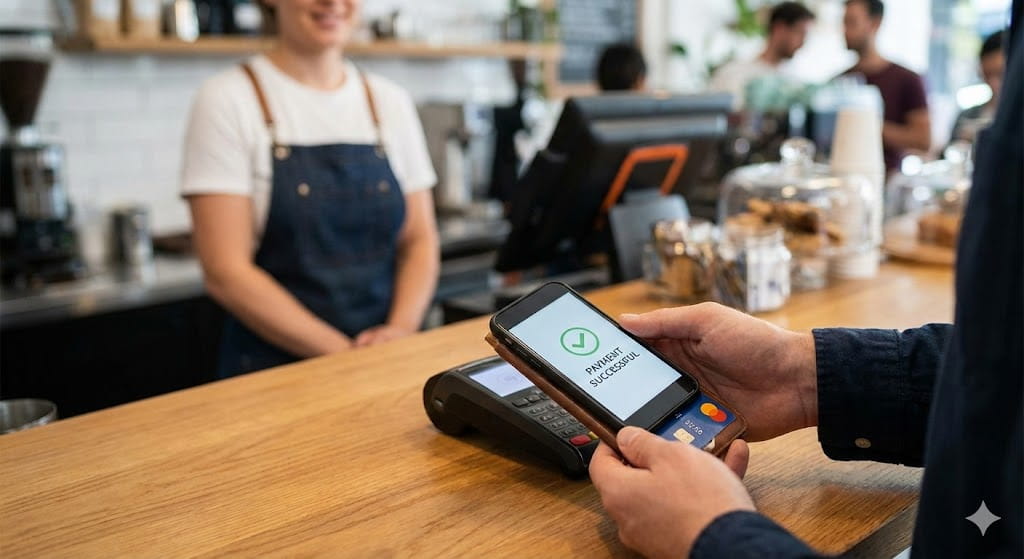
Technically, you cannot use Apple Pay directly at a Walmart register. However, if you are determined to use your Apple Wallet funds or settings, there is one major “loophole”: Instacart.
If you order your Walmart groceries through the Instacart app, you can pay for the order using Apple Pay within Instacart. A personal shopper will then buy your items and deliver them to your door (or you can sometimes choose pickup).
- Pros: You get to use Apple Pay.
- Cons: You will likely pay higher prices and delivery fees compared to shopping in-store yourself.
Benefits of Using Walmart Pay:
If you are hesitant to download another app, Walmart Pay actually offers a few features that Apple Pay doesn’t:
- Automatic Receipt Storage: No more fading paper receipts. All your purchase history is stored digitally in the app, which makes returns incredibly easy.
- Budgeting: You can easily see your total spend over the last month.
- Fuel Discounts: If you are a Walmart+ member, using Walmart Pay at the pump can trigger fuel savings automatically.
- Card Security: Just like Apple Pay, your card numbers are encrypted, so the cashier never sees your actual information.
Conclusion:
So, do Walmart take Apple Pay in 2026? The answer remains a firm no.
While it is inconvenient for those of us who love the simplicity of “tap to pay,” Walmart has bet big on their own system. For now, you will need to keep your physical wallet handy or take a few minutes to set up Walmart Pay on your phone.
The good news is that Walmart Pay is fast, secure, and helps you keep track of your spending better than a standard credit card swipe.
Ready to make your shopping trip easier? Download the Walmart app today and set up your wallet before your next grocery run.
Frequently Asked Questions:
Does Walmart take tap to pay?
No, Walmart does not accept tap-to-pay methods. This includes contactless credit cards, Apple Pay, Google Pay, and Samsung Pay. You must insert your chip card or swipe.
Can I use Apple Pay at Walmart Self-Checkout?
No. The self-checkout machines at Walmart are equipped with the same software as the regular lanes. They do not have NFC enabled for Apple Pay. You must use the QR code for Walmart Pay.
Why does my local grocery store take Apple Pay but not Walmart?
Most grocery stores (like Kroger, Whole Foods, and Trader Joe’s) use standard payment terminals that accept NFC. Walmart has custom-programmed their terminals to disable this feature to prioritize their own app.
Is Walmart Pay safe to use?
Yes. Walmart Pay uses high-level encryption to protect your card details. It is considered just as safe as using a physical chip card.
Will Walmart ever accept Apple Pay?
While anything is possible, Walmart has shown no signs of changing this policy as of 2026. They remain committed to their own data ecosystem.
