

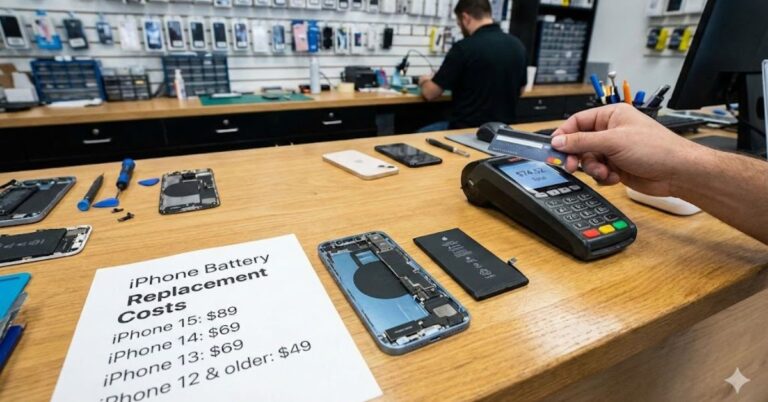
Is your iPhone acting like a landline? You know the feeling tethered to the wall charger by 2:00 PM, panicked when you hit 10% battery life, or watching your phone shut down unexpectedly in the cold.
If you are constantly hunting for a power outlet, you are likely facing a degraded lithium-ion battery. The good news? You don’t necessarily need to drop $1,000 on a new phone. Replacing the battery is often the smartest financial move you can make to extend your device’s life.
But how much to replace an iPhone battery exactly? The short answer is that it depends on your specific model and where you go for the repair. In 2025, official Apple replacements range from $69 to $119, while third-party shops might offer lower rates.
In this guide, we’ll break down the exact costs for every iPhone model, compare Apple Store vs. local repair shop prices, and help you decide if a replacement is worth the investment.
Table of Contents
Official Apple iPhone Battery Replacement Costs:
When you go directly to Apple, you are paying for peace of mind. You get a genuine OEM part and a guarantee that the water resistance seals are reapplied correctly. However, Apple has raised its prices in recent years.
Here is the current pricing tier for out-of-warranty battery replacements at the Apple Store:
| iPhone Model | Estimated Cost (USD) |
| iPhone 16 Pro & 16 Pro Max | $119 |
| iPhone 16 & 16 Plus | $99 |
| iPhone 15 Series (All models) | $99 |
| iPhone 14 Series (All models) | $99 |
| iPhone 13, 12, 11, X, XS, XR | $89 |
| iPhone SE, 8, 7, and older | $69 |
Note: These prices are for the service fee and part combined. If you mail your device in, you may pay an additional shipping fee (usually around $6.95).
The “AppleCare+” Exception
If you were foresightful enough to buy AppleCare+, you might not have to pay a dime.
Apple covers battery replacements for free if your battery health has dropped below 80% of its original capacity. If your battery is sitting at 82% and you just want a fresh one, they generally won’t replace it for free you will still have to pay the out-of-warranty fee.
To check if you are eligible, go to Settings > General > About to see your coverage status.
Third-Party vs Apple Store: Is Cheaper Better?

If you are looking for a cheap iPhone battery replacement, local repair shops are the most common alternative. But does saving $20–$30 justify the risk?
Local Repair Shops (Third-Party)
- Estimated Cost: $40 – $80
- Pros: Often faster (sometimes done in 30 minutes); usually cheaper than Apple; convenient locations.
- Cons: Variable quality of parts; risk of “Non-Genuine Battery” warnings in Settings; potential loss of water resistance.
If you choose a third-party shop, look for an Apple Authorized Service Provider (AASP). They use genuine Apple parts and diagnostic tools, meaning the price will be similar to Apple’s, but the service quality is guaranteed.
If you go to an unauthorized shop, ensure they offer a warranty on the battery itself. A high-quality aftermarket battery can perform well, but a cheap knockoff can degrade within months or even swell, posing a safety risk.
DIY Battery Replacement: For the Brave
With Apple’s Self Service Repair program and kits from reliable vendors like iFixit, you can technically replace the battery yourself.
- Cost of Parts: $40 – $90 (depending on model)
- Tool Kit: $20 – $50 (one-time purchase)
- Difficulty: High
Is it worth it? For most users, no. Modern iPhones are glued shut with strong adhesive to maintain water resistance. Prying them open without cracking the screen or damaging the ribbon cables requires patience and steady hands.
If you have an older model like an iPhone 7 or 8, it is easier. But for an iPhone 13, 14, or 15, the risk of breaking your screen (a $200+ mistake) often outweighs the small savings on the battery.
When Should You Replace Your iPhone Battery?
You don’t need to guess. Your iPhone actually tells you when it’s time. The magic number to watch for is 80%.
How to Check Battery Health
- Go to Settings.
- Scroll down to Battery.
- Tap Battery Health & Charging.
Look at the Maximum Capacity.
- 80% – 100%: Your battery is supporting normal peak performance. You don’t need to replace it yet.
- Below 80%: Your battery is “significantly degraded.” You will likely notice shorter usage times and your phone may throttle performance (slow down) to prevent random shutdowns.
Other Warning Signs
Even if your percentage is above 80%, you might need a new battery if:
- Unexpected Shutdowns: The phone dies at 20% or 30% charge.
- Physical Swelling: The screen is lifting or the phone feels thicker (Stop using it immediately this is a fire hazard).
- Overheating: The phone gets uncomfortably hot during light tasks.
Is It Worth Replacing the Battery?
This is the commercial “search intent” question. Should you spend $89 on a repair or put that money toward a new iPhone?
Replace the battery if:
- You are happy with your phone’s camera and speed.
- You plan to keep the phone for at least another year.
- You want to hand the phone down to a child or relative.
Upgrade the phone if:
- Your screen is also cracked (Battery + Screen repair costs can exceed the phone’s value).
- Your phone is no longer receiving iOS updates (e.g., iPhone X or older).
- You need better features (like 5G or a better camera).
Replacing the battery essentially refreshes the device. An iPhone 13 with a new battery in 2025 will feel almost as snappy as it did on day one, saving you hundreds of dollars compared to buying a new iPhone 16.
Conclusion:
Knowing how much to replace an iPhone battery helps you avoid overpaying. For most users, paying the $89–$99 fee at an Apple Store is the best value investment to extend your phone’s lifespan by another 2–3 years without compromising quality or safety.
If your device is showing its age, don’t rush to buy a new one just yet. A simple battery swap might be all you need to get back that “new phone” feeling.
Ready to book your repair? Check your battery health settings today and decide if it’s time to give your iPhone a fresh start.
Frequently Asked Questions:
Does Apple replace batteries for free?
Yes, but only if you have AppleCare+ and your battery’s maximum capacity is below 80%. If you do not have AppleCare+, or if your battery health is above 80%, you will have to pay the out-of-warranty fee.
How long does an iPhone battery replacement take?
At an Apple Store, it usually takes 1 to 2 hours. It is best to make a Genius Bar appointment ahead of time. If you mail it in, expect it to take 5 to 9 business days.
Will replacing the battery delete my data?
Technically, no. Replacing the battery should not affect your data. However, Apple and all repair shops strongly recommend you back up your iPhone to iCloud or a computer before any repair, just in case something goes wrong during the process.
Is it worth replacing an iPhone 11 battery in 2025?
Yes. The cost is around $89. Considering the iPhone 11 still supports decent performance for basic tasks, spending $89 is much cheaper than buying a new $800 phone. It can extend the device’s usable life by another 18–24 months.
Can I trust “cheap” iPhone battery replacements?
Be cautious. If a shop offers to do it for $30, they are likely using a low-quality aftermarket battery. These often degrade faster and may not report battery health stats correctly in your Settings. Stick to reputable shops or AASPs.
